🔥 Precision customization for laser engraving
Stop aligning text manually.
JigFlow lets you design product templates once, then generate perfectly aligned, laser-ready files for every customer order — in seconds, not minutes.
Try for free no credit card required.



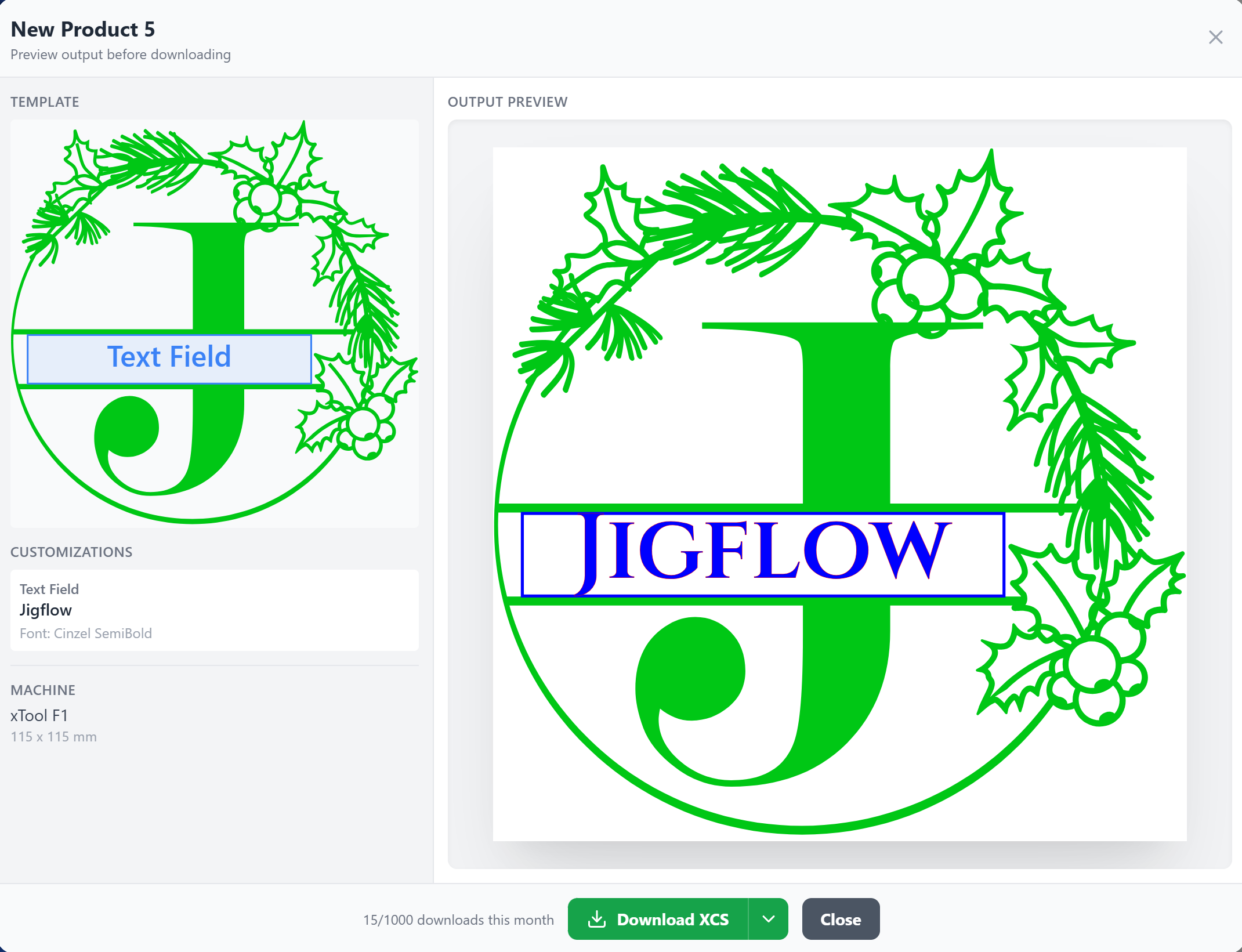
From Custom Order to Laser File in Seconds
Design your product template once. After that, every custom order is just a few keystrokes and a click.
Design Your Template
Create your product template once in JigFlow's visual editor. Import existing SVG, XCS, or LBRN files to get started fast — then place text zones, graphics, and images and map them to customization fields like Name, Date, or Message.
Enter Order Details
When a customer order comes in, just type their personalization — name, date, message. JigFlow renders precise vector text using your exact fonts, perfectly positioned every time.
Download Laser-Ready File
Click Generate and download a production-ready file in your format — LightBurn (.lbrn), xTool (.xcs), or SVG. All process settings pre-configured. Open it and cut.


Powerful Template Management.
Create reusable product templates with drag-and-drop text zones. Map exactly where you want customer text to appear.
JigFlow stores your product library so you can pull up any template and generate output in seconds whenever a new order comes in.
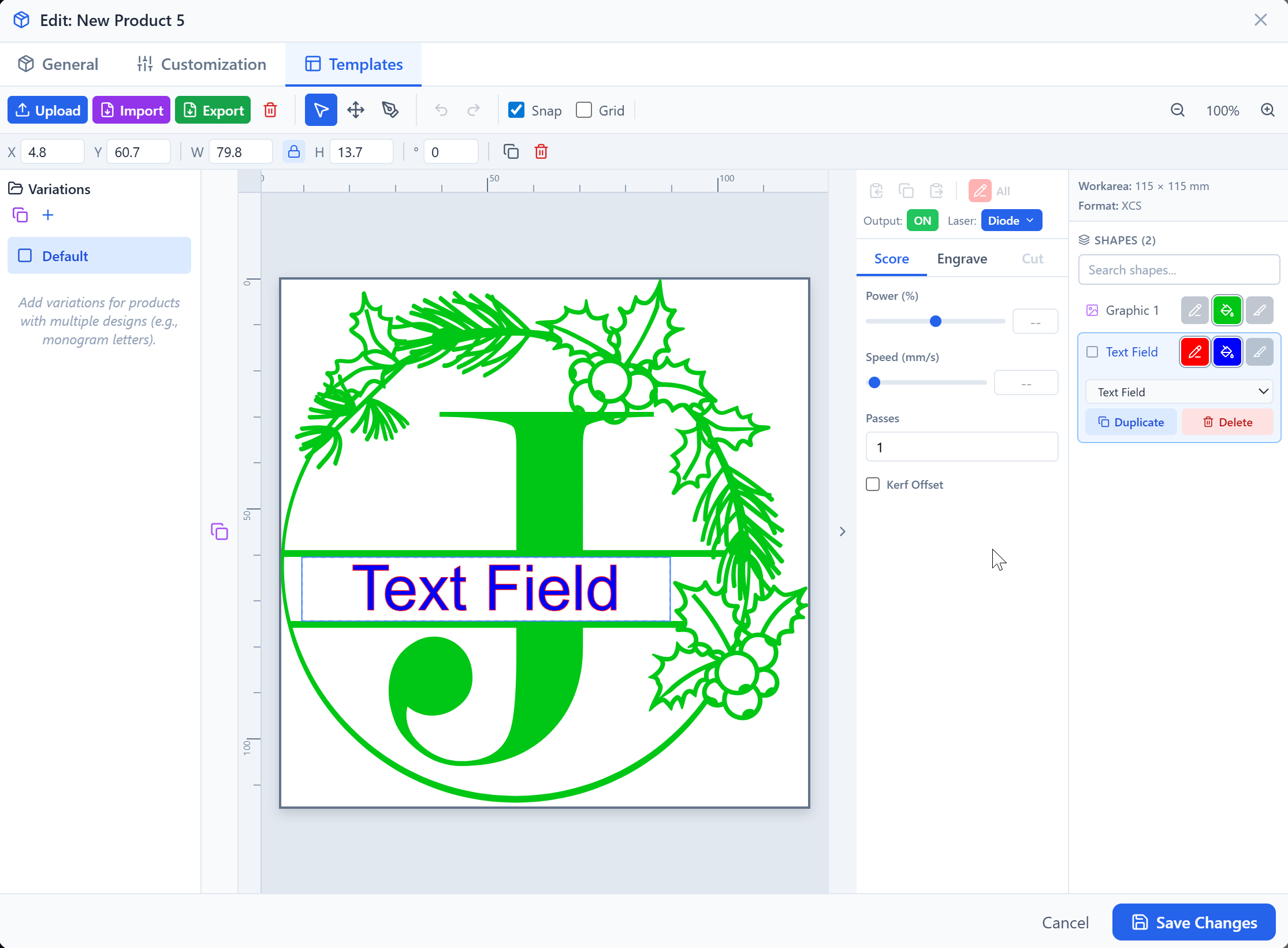
Smart Customization Fields.
Define text, dropdown, and checkbox fields for each product. Perfect for handling names, dates, and personalized messages.
Auto-fit logic ensures that customer text stays within your defined bounds, maintaining perfect alignment and font size every time.
Precision Multi-Format Export.
Generate laser-ready files optimized for your favorite software. We support XCS, LBRN, and universal SVG out of the box.
No more resizing or repositioning text in your laser studio. Just import the JigFlow file and hit start — it's that simple.
Works With Your Laser Software
JigFlow generates production-ready files for the two most popular laser platforms — LightBurn and xTool Creative Space — plus universal SVG. Between them, they cover nearly every laser machine on the market.
LightBurn (.lbrn)
Export native LBRN files with full process settings — power, speed, passes, and 80+ advanced parameters. LightBurn supports a wide variety of laser machines from dozens of manufacturers.
Export Format
xTool Creative Space (.xcs)
Generate XCS files optimized for xTool's software suite. Supports F1, F1 Ultra, F2 Ultra, P2, P2S, P3 with light source modes and full process settings.
Export Format
SVG (Universal)
Standard SVG export that works with any laser software, design tool, or custom workflow. Color-coded by operation type — score, engrave, and cut.
Export Format
Etsy
Auto-sync custom orders from your Etsy store. Extract personalization fields and generate laser files directly from incoming orders.
Marketplace (Coming Soon)
Shopify
Connect your Shopify store via OAuth. Real-time order webhooks pull customization data straight into your JigFlow dashboard.
Marketplace (Coming Soon)
JigFlow exports to XCS (for xTool), LBRN (for LightBurn), and universal SVG. If your machine works with LightBurn or xTool workflows, it works with JigFlow.
Simple, transparent pricing
Start free and upgrade as your laser engraving business grows.
Free
$0
Get started with core JigFlow workflows.
- 3 products
- 1 machine
- 5 fonts
- 10 downloads/mo
Starter
$10/mo
Best for growing engraving shops.
- 20 products
- Unlimited machines
- 20 fonts
- 100 downloads/mo
Pro
$20/mo
For high-volume custom order workflows.
- Unlimited products
- Unlimited machines
- 50 fonts
- Unlimited downloads
Business
$30/mo
Unlimited everything plus ecommerce integrations.
- Unlimited products
- Unlimited machines
- Unlimited fonts
- Unlimited downloads
- Etsy + Shopify integration
Ready to stop aligning text manually?
Create your free account in 30 seconds and start generating perfectly aligned, laser-ready files for every custom order.



No credit card required.